Streaming bills are out of control. Netflix, Hulu, Max, Disney+ – by the time you add them all up, you are spending as much as you used to spend on cable. The good news? You do not need to pay a cent to watch great movies and TV shows.
The best free streaming apps in 2026 carry tens of thousands of titles across every genre, and all of them run on ads instead of monthly fees. This guide covers exactly which apps are worth your time, what each one is best for, and a few things to watch out for before you download.
Quick Answer: The best free streaming apps in 2026 include Tubi, Pluto TV, The Roku Channel, Peacock (free tier), Amazon Prime Video Free, Crackle, and Plex for movies and TV – plus Xumo Play, Sling Freestream, and LocalNow for live TV. All are ad-supported, completely legal, and free to use on most devices.
What are free streaming apps and how do they work?
Free streaming apps – also called FAST services, which stands for Free Ad-Supported Streaming Television – work exactly like old-school broadcast TV. Instead of charging a monthly fee, these platforms make their money through advertising. You watch a commercial break every 20 minutes or so, and in return you get access to thousands of movies and TV shows at no cost.
This model has exploded in popularity. Paid streaming prices jumped nearly 20% in a short stretch, according to Consumer Reports, making free alternatives more attractive than ever. As of 2026, platforms like Tubi carry over 50,000 titles – a library that would have seemed impossible for a free service just five years ago.
Here is what you can expect before you dive in:
- You will sit through short ad breaks – usually 4–7 minutes of ads per hour
- Content libraries skew toward older films and classic TV, though new titles are added regularly
- All platforms listed here are 100% legal and licensed – no piracy risk
- Most work on smart TVs, phones, tablets, Roku, Fire Stick, and desktop browsers
- A few require a free account to watch; most do not
How much content can you actually get for free?
The honest answer is: more than most people realize. The free streaming landscape has matured significantly, and in 2026, a combination of two or three free apps can cover most of what the average viewer wants to watch. Here is a breakdown by category so you know what to expect from each type of platform.
One note on “free” content: Several platforms mix free and paid titles in the same interface, which can be confusing. Peacock and Amazon Prime Video are the biggest offenders – look for the “Free” or “Included” tag before you start playing to avoid hitting a paywall mid-show.
Best free streaming apps for movies and TV shows
These are the platforms to bookmark if on-demand content is what you are after. Each one is free, ad-supported, and carries a strong enough library to keep most viewers busy for months.
Top picks for on-demand movies and shows
Tubi
Tubi is the gold standard of free streaming in 2026. Owned by Fox Corporation, it carries over 50,000 titles – the largest free library on the market. The selection leans toward older films and catalog TV, but there are genuine gems buried in there: award-winners, foreign films, classic horror, and more. No account required to watch, which sets it apart from nearly every competitor. The interface is clean and easy to use on any device.
Why this works in 2026: Fox’s investment in Tubi has grown its library dramatically over the past two years, and it now includes original programming alongside licensed titles.
Pluto TV
Pluto TV is best described as free cable TV reimagined. Owned by Paramount, it combines over 250 live linear channels – channels that play content on a fixed schedule, just like traditional television – with a large on-demand library.
There are channels for news, reality TV, true crime, sports highlights, classic sitcoms, and even dedicated channels for specific shows. If you find it hard to decide what to watch, Pluto TV is perfect – you just flip through channels like you used to do with cable.
Earning potential from a Sellvia store: $30–$80/day is realistic within 60–90 days for store owners who activate the built-in ad system from day one.
Crackle
Crackle is backed by Sony and has been around long enough to build a solid reputation for reliability. The library is smaller than Tubi but covers Hollywood movies, Sony Pictures titles, and a handful of original series. The interface is straightforward and the app works well on most devices. Crackle requires a free account to access content, but sign-up takes under a minute.
Plex
Plex started as a personal media server app but has grown into one of the most well-rounded free streaming platforms available. Beyond the free movie and TV library (which includes thousands of titles), Plex offers over 500 live TV channels and lets you organize your own personal media collection in the same app. It is a strong all-in-one option, especially if you already have digital copies of movies or TV shows saved locally.
Peacock (free tier)
NBCUniversal’s Peacock has a free tier that gives access to a rotating selection of NBC classics, some current-season episodes, and a mix of movies. Fans of shows like Law and Order, Saved by the Bell, and early seasons of popular comedies will find plenty to watch at no cost.
The free tier does have limitations – newer content and live sports are typically locked behind the premium plan – but it is a worthwhile addition to your free streaming lineup.
Amazon Prime Video Free
Even without an Amazon Prime subscription, you can access a selection of ad-supported movies and TV shows through the Prime Video app. The content is mixed in with paid titles, so you need to filter for “free” options, but the library has grown steadily and now includes some recognizable titles. You do need a free Amazon account to watch, which most people already have.
The Roku Channel
Here is something most people do not know: you do not need a Roku device to use The Roku Channel. It is available as a free app on iOS, Android, smart TVs, and desktop browsers. The platform combines free on-demand movies and TV shows with a solid lineup of live news and sports channels.
Roku has also been investing heavily in sports content, including NFL and MLB programming. If you are looking for one app that does a bit of everything at no cost, The Roku Channel is worth installing.
Worth knowing: Samsung TV Plus and YouTube Free
Samsung TV Plus
If you own a Samsung smart TV, you already have access to Samsung TV Plus – a built-in free streaming service with over 300 live channels. No app download, no account, no sign-in required. It turns on automatically when you boot up the TV. Content covers news, entertainment, lifestyle, sports, and more. It is not the deepest library, but the zero-friction access makes it a default starting point for Samsung owners.
YouTube (Free with Ads section)
YouTube’s dedicated “Free with Ads” section – found under Movies and TV – now carries around 100 TV shows and thousands of movie titles available without a YouTube Premium subscription. It is easy to overlook because YouTube is not primarily thought of as a streaming service, but the free catalog has grown meaningfully and includes some legitimate titles worth watching.
Best free streaming apps for live TV
Cutting the cable bill entirely is possible if you combine the right free live TV apps. None of these require a subscription, and between them they cover news, sports, entertainment, weather, and local channels.
Free live TV options worth downloading
Xumo Play
Xumo Play is one of the cleaner free live TV experiences available. Owned by Comcast, it offers a mix of live news, entertainment, and sports channels – all ad-supported and free. The interface is easy to navigate and the app is available on most major devices and smart TV platforms. It is a solid starting point if you are new to free live TV.
Sling Freestream
Sling Freestream is the free version of the well-known Sling TV service, and it has grown rapidly. As of 2026 it carries over 600 free channels and more than 40,000 on-demand titles. That puts it among the largest free live TV services available. Content covers news, sports highlights, game shows, crime dramas, and reality TV. No credit card required – just download and watch.
LocalNow
LocalNow focuses on exactly what its name suggests – local news, local weather, and local stories. If staying connected to what is happening in your area matters to you, LocalNow fills a gap that most free streaming apps ignore. It also carries national news channels and on-demand content. Availability varies by city, but coverage has been expanding steadily.
STIRR
STIRR is a free live TV service from Sinclair Broadcast Group that focuses on live news, classic TV shows, and special events. It has a strong selection of local news content alongside national entertainment channels. The app is straightforward, reliable, and worth bookmarking if local and national news is a priority.
PBS App
The PBS App gives you access to live PBS programming alongside a wide on-demand library of documentaries, dramas, educational content, and children’s shows. Shows like Frontline, Nova, Ken Burns documentaries, and Masterpiece are all available. Some content requires a PBS Passport membership (around $5/month), but a large portion of the library is completely free. If you value quality over quantity, the PBS App belongs in your rotation.
Best free streaming apps for anime fans
Anime fans have a few strong free options in 2026 – though the landscape has changed. Funimation officially shut down in April 2024 after fully merging with Crunchyroll, so that option is no longer available. Here is where to find free anime now.
Where to watch anime for free
Crunchyroll (free tier)
Crunchyroll is the dominant anime streaming platform and its free tier gives access to a large portion of its library – with ads. The free plan does have one limitation worth knowing: simulcast episodes (new episodes released the same day as Japan) are typically locked for free users for one week after their initial release.
If you can handle waiting a week, the free tier covers an enormous amount of content. The app works on most devices and smart TVs.
RetroCrush
RetroCrush is built for anime fans who love the classics – series from the 1970s, 80s, and 90s that defined the genre. Think older Lupin III, Mazinger Z, and a wide collection of retro titles that are hard to find elsewhere for free. It also has 24-hour live channels. Completely free, no account required.
HiDive (free trial)
HiDive is primarily a paid service but regularly offers extended free trials and has a small selection of free content available. It is worth noting as a complement to Crunchyroll because it carries a different set of licenses – particularly older and niche titles. If you cannot find something on Crunchyroll, HiDive is the next place to look.
How to pick the right free streaming app
The honest advice is to not pick just one. Unlike paid services where you commit to a monthly fee, free streaming apps cost nothing to download and nothing to keep installed. Most people do best with two or three that complement each other. Here is how to think through the decision.
Match the app to what you actually want to watch
Start here. If you want movies, Tubi and Crackle are your strongest options. If you want live TV and the feel of channel-surfing, Pluto TV and Sling Freestream make the most sense. For anime, start with Crunchyroll’s free tier. For documentaries and quality drama, the PBS App is hard to beat. There is no single app that does everything best, but there is usually one clear answer for each specific content type.
Think about your device
Nearly every app on this list works on phones, tablets, smart TVs, Roku, and Amazon Fire Stick. The main exception is Samsung TV Plus, which is built into Samsung TVs only. If you are watching primarily on a phone, Tubi and Pluto TV have the cleanest mobile experiences. If you are on a smart TV, The Roku Channel and Xumo Play are worth trying first.
Check the ad load before committing
Ad frequency varies meaningfully between platforms. Most free services show 4–7 minutes of advertising per hour, delivered in shorter breaks throughout the show rather than at the beginning and end. Some apps – Tubi in particular – tend to run shorter, less intrusive ad breaks compared to others. If ad volume bothers you, it is worth watching one show on a few different apps before settling on your main platform.
Avoid unofficial apps and APK downloads
Important: Only download free streaming apps from official app stores – the Apple App Store, Google Play Store, Roku Channel Store, or Amazon Appstore. Apps downloaded from unofficial third-party sites (often offered as APK files) carry real malware risks and frequently host pirated content, which is both illegal and unsafe. Every app on this list is available through official channels.
Final thoughts: choosing your free streaming lineup
The best approach in 2026 is a simple stack. Pick one on-demand heavy hitter – Tubi is the default recommendation – and pair it with a live TV app like Pluto TV or Sling Freestream. Add the PBS App if you enjoy documentaries or quality drama. If you are into anime, add Crunchyroll’s free tier. That combination covers most of what any viewer would want, with zero monthly cost.
Here is a quick summary by viewer type to help you decide fast:
If you are a casual movie watcher
Start with Tubi. The library is massive, no sign-in is required, and the app is available everywhere. Add Crackle as a backup for when Tubi does not have what you are looking for.
If you miss channel-surfing
Pluto TV or Sling Freestream are your best options. Both give you the experience of flipping through live channels without a cable bill. Sling Freestream has the larger channel count; Pluto TV has the better on-demand library.
If you want the best all-around free setup
Tubi for movies, Pluto TV for live TV, and The Roku Channel for a mix of both. All three are free, all three work on most devices, and between them they cover the vast majority of what most people want to watch.
If you are an anime fan
Crunchyroll’s free tier covers the most ground. Add RetroCrush if you love classic series. Both are completely free with ads.
From saving money to making money in 2026
Finding free streaming apps is a great first step toward stretching your dollar further. But if you are seriously thinking about your financial situation in 2026 – whether you want a side income, more flexibility, or a way to eventually leave the 9-to-5 – there is a bigger opportunity worth knowing about.
The same shift that made free streaming possible – people spending more time online, more comfortable buying digital content – has created a real opening for everyday people to build income online, without any technical skills or previous business experience. That is exactly what Sellvia was designed for.
Over 1,500,000 stores have been launched on Sellvia. Store owners have collectively earned over $1.5 billion. And those numbers keep growing because the platform handles all the hard parts for you – the store setup, the products, and even the advertising. You just activate it and start making sales.
Why Sellvia is a game-changer for your online store 🚀
Sellvia isn’t just another ecommerce tool. We are a trusted name in the industry, recognized by Forbes and even ranked in Inc.’s list of the 5,000 fastest-growing companies in the U.S. So if you’re serious about starting as a solopreneur, this is a smart place to begin.
Starting an online business can feel overwhelming, but that’s exactly where Sellvia steps in. It takes care of the tricky parts, so you can focus on making sales and growing your brand. Let’s break down what makes it such a great choice.
Get a ready-to-go store hassle-free 🎯
Want to start selling but don’t know where to begin? No worries! Just share your ideas, and Sellvia’s team will build a free ecommerce website that’s fully set up and ready to take orders from day one. No coding, no stress – just a store that works right out of the box.
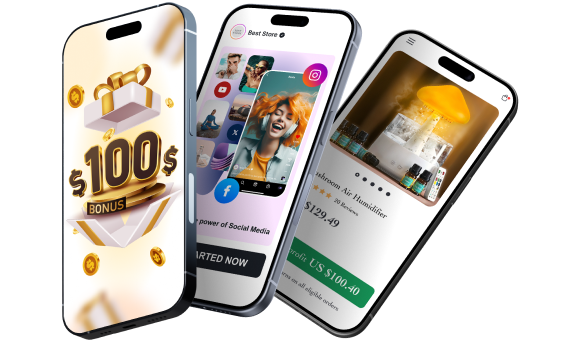
A $100 welcome gift to grow your business faster 🎁
Starting a business takes momentum – and Sellvia gives you a head start. When you claim your free store today, you also get a $100 welcome gift to put toward growing your business. Use it to upgrade your store, boost your marketing, or unlock new tools. It is a real dollar value, handed to you on day one, with no catch and no hoops to jump through.
A massive catalog of digital products to sell 🏆
One of the biggest struggles in starting an online business is figuring out what to sell. Sellvia solves that completely. Your store comes pre-loaded with digital products – guides, courses, checklists, and tools – all created by Sellvia. You keep 50–70% of every sale. No inventory. No shipping. No logistics headaches.
Everything in one easy-to-use platform 🔥
Managing an online store shouldn’t be complicated. With Sellvia, you can handle orders, add new products, and even chat with customers – all from a simple and user-friendly platform. No need to mess with confusing tools or deal with unnecessary tech stuff. It’s all smooth sailing.
No upfront costs, just start selling 💰
A big reason people hesitate to start an online business is the cost. But here’s the good news: With Sellvia, you don’t need to invest in stock, storage, or shipping supplies. You can run your store with no upfront costs, keeping things low-risk while still making money.
Support that’s always got your back 🤝
Running a business comes with questions, but you’re never alone. Sellvia’s dedicated support team is available 24/7 to help with anything you need. Whether it’s a small question or a big challenge, they’ve got you covered.
Just like free streaming apps prove that you do not need to spend money to enjoy great content, Sellvia proves you do not need to spend money to start a real online business. Claim your free store today and see what is possible starting from day one.
What are the best free streaming apps in 2026?
Are free streaming apps legal and safe to use?
All of the free streaming apps listed in this article are completely legal. They hold proper content licenses and generate revenue through advertising, the same business model that has supported broadcast television for decades. Licensed services like Tubi, Pluto TV, and Peacock are safe to use when downloaded from official app stores such as the Apple App Store, Google Play Store, or Roku Channel Store. The risk comes from unofficial third-party APK downloads, which can carry malware. Stick to official sources and you have nothing to worry about.
Do free streaming apps require an account to watch?
Most free streaming apps do not require you to create an account before watching. Tubi and Pluto TV are two of the most popular examples and both allow you to start watching immediately without signing in. Some platforms like Crackle and Amazon Prime Video Free do require a free account, which typically takes under 2 minutes to create. Creating an account usually unlocks added features like watchlists and personalized recommendations, but it is not required on most platforms to access the content itself.
Which free streaming app has the most content?
Tubi has the largest free streaming library as of 2026, with over 50,000 movies and TV episodes available at no cost. Sling Freestream is the leader in live TV channels, carrying over 600 free channels alongside more than 40,000 on-demand titles. Pluto TV offers over 250 live linear channels plus a substantial on-demand library. If you are looking for one app that does the most, Tubi is the strongest pick for on-demand content, while Sling Freestream leads for live TV variety.
Can you watch live TV for free without cable or a subscription?
Yes, you can watch live TV for free without a cable subscription or any paid service. Pluto TV carries over 250 live channels including news, entertainment, and reality TV. Sling Freestream offers more than 600 free channels. Xumo Play and LocalNow both provide free live news and local content. Samsung TV Plus is built directly into Samsung televisions and requires no account or app download. Between these 5 options, most viewers can replace basic cable with no monthly cost at all.