


Sellvia · 14-day free trial
Canva AI gives you the visuals. Your AI influencer store comes with the videos, the audience, and the products already built – try it free today.
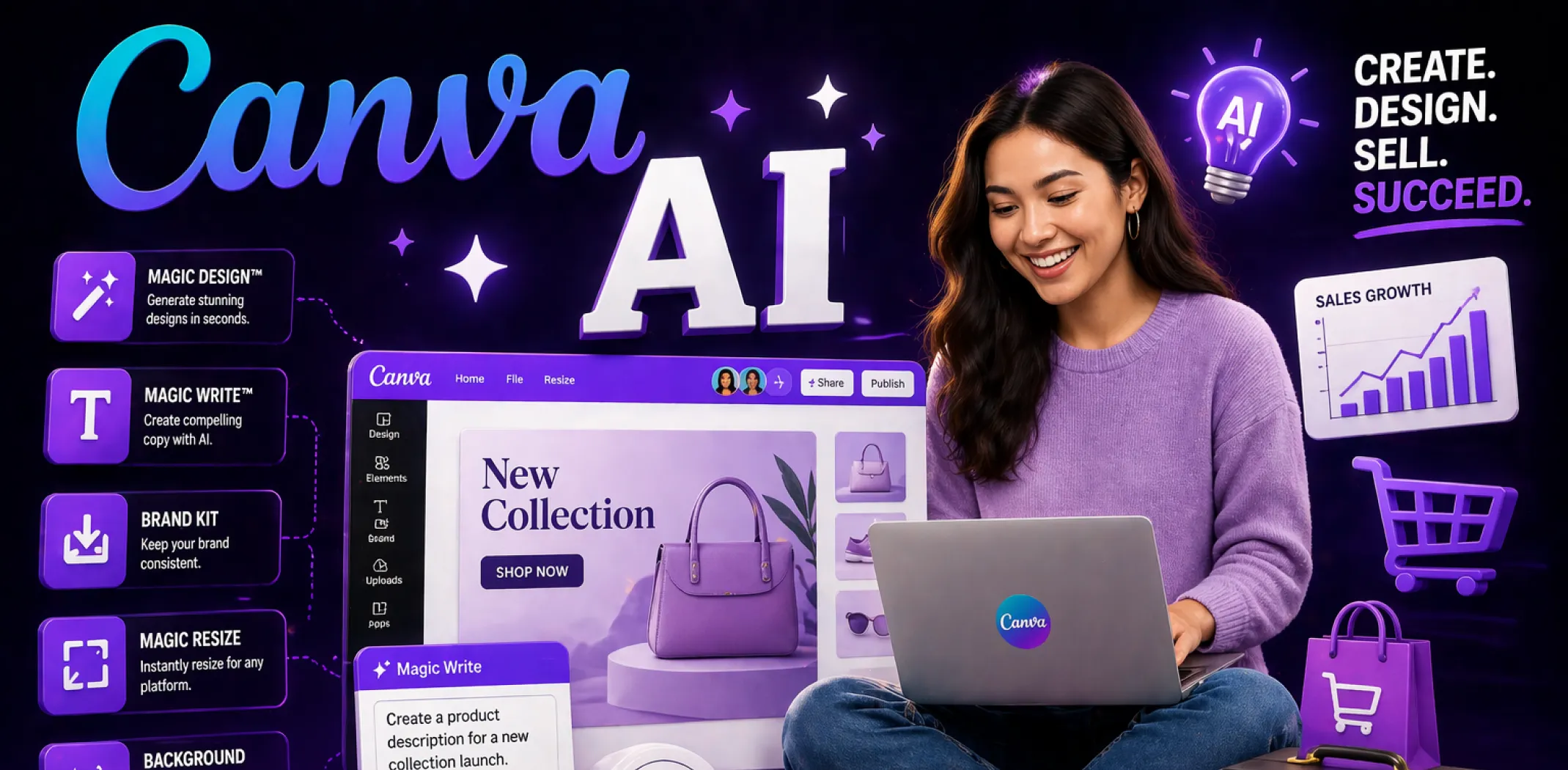
If you have been wondering how people seem to churn out professional-looking product images, ad creatives, and social content without a design team or a big budget, Canva AI is probably part of the answer. In 2026, it has become one of the most practical tools available to anyone running – or trying to start – an online business.
Quick Answer: Canva AI is a set of artificial intelligence features built directly into the Canva design platform. It includes a text-to-image generator, an AI writing assistant, one-click background remover, auto-resize across platforms, and more – all usable from a browser with no design skills required.
Whether you want to create product images without a professional photoshoot, write ad copy in seconds, or build a full brand identity on your own, Canva AI makes it genuinely accessible. This guide covers every major Canva AI tool, how each one works in practice, and how to combine them into a real workflow that supports a profitable online business.
What is Canva AI?
Canva AI refers to the collection of artificial intelligence tools embedded inside the standard Canva editor. It is not a separate product or a new app to download – it lives in the same interface you already use to make social posts, presentations, and marketing graphics. You open Canva in a browser, and these tools are right there.
At its core, Canva AI is designed to reduce the time and skill required to produce professional-looking visual content.
It handles tasks that used to require Photoshop expertise, a freelance designer, or a dedicated copywriter – things like removing a background from a product photo, generating a lifestyle image from a text description, resizing one ad creative into ten different platform formats, or drafting product descriptions that match your brand voice.
For readers who want to go further than using AI tools to create content, Sellvia’s AI influencer business bundle gives you 7 ready-made AI creator personas, hundreds of niche-specific videos, and a pre-loaded digital product store – your only job is to download and post.
For anyone running an online business, this matters a great deal. Product listings, social posts, ad creatives, email headers – you need a steady flow of visuals and copy, and producing them manually is one of the biggest time drains in the business. Canva AI compresses that workload significantly, even for people who have never designed anything before.
The platform works on a freemium model. Many AI features are available on the free plan, while more advanced tools – including the full image generator, Background Remover, Magic Resize, and Brand Kit – require a Canva Pro subscription at around $15 per month for a single user.
How much can you realistically earn using Canva AI?
This question depends entirely on how you use it. Canva AI is not a direct income source on its own – it is a production tool that reduces costs and speeds up your output, which translates to better margins and more consistent content for your online business. That said, here is what different types of users typically see in terms of financial impact.
The figures above reflect users who are consistently active rather than occasional. Freelancers who use Canva AI to deliver faster client work typically charge the same rates while cutting production time dramatically. Online store owners benefit most through cost savings – replacing the need for a freelance designer, a photo editor, or a separate copywriting tool.
One note on these figures: Canva AI is a multiplier, not a standalone income stream. The higher end of these ranges requires consistent effort, a volume of products or clients, and at minimum 60–90 days of momentum-building. The real opportunity – especially for people running an online business – is using Canva AI as part of a broader system that includes a real store, a ready-made product catalogue, and built-in advertising.
That is where most people leave money on the table. They learn every Canva AI tool inside out but have no actual business behind the content they are creating. Getting your store in place first gives you a real conversion goal to design toward – and turns every piece of Canva AI output into something that can generate income.
Every major Canva AI feature (and how to use each one)
Canva has released a large number of AI-powered tools over the past two years. Below is a breakdown of every significant one, organized by use case, with honest notes on what each does well and where it falls short for online sellers.
Visual creation and image tools
Magic Media (AI image generator)
Magic Media is Canva’s text-to-image generator. You type a description – for example, “minimalist flat lay of skincare products on marble, natural light” – and Canva generates four image options within about 15–20 seconds. You can adjust the style, aspect ratio, and mood using drop-down selectors before generating.
Sellvia · 14-day free trial
AI image generation creates visuals one prompt at a time. Your Sellvia AI influencer comes with hundreds of ready-made niche videos – no prompting, no editing, just download and post.
For online sellers, this is most useful for creating lifestyle-style product imagery when you do not have the budget for a professional photoshoot. You can generate background scenes that match your brand and layer your actual product photos on top using the background remover.
Earning potential: Saves $150–$600 per photoshoot project when used to build product imagery from scratch.
Important: Magic Media at full resolution requires Canva Pro. Free plan users get lower resolution outputs with a daily generation limit.
Background Remover
This is one of the most practically useful Canva AI tools for anyone selling online. Upload a product photo, click Background Remover, and Canva isolates the subject from its background in one click. The result is a clean, transparent PNG you can drop onto any custom scene, color, or template.
The tool handles clean product shots very well – flat lays, packaged goods, apparel on mannequins. It can struggle slightly with fine hair or complex edges, but for most product images, the output is clean enough to use directly in listings and ad creatives.
Why this works in 2026: Online marketplaces require white-background or clean-background product images. Getting these done professionally can cost $5–$25 per image. Background Remover makes it a ten-second task.
Magic Expand
Magic Expand lets you extend an image beyond its original edges using AI. If you have a product photo that is cropped too tightly for a banner ad or email header, you drag the canvas edges outward and Canva generates new background content that blends with the original.
This is particularly useful when you have a strong product image shot in portrait orientation but need a landscape version for a Facebook ad or store hero section. Rather than reshooting, you use Magic Expand to create the wider composition.
Magic Edit
Magic Edit allows you to paint over a specific area of an image and replace it with something new using a text prompt. Select a region, describe what should go there, and Canva generates a replacement that fits the surrounding context.
For online sellers, this is useful for swapping product colors, changing a background element in a lifestyle photo, or adding a prop to an existing scene. The quality varies – complex objects are harder to blend convincingly – but for simple substitutions like changing a background color, a surface texture, or a color shade, it works reliably.
Design workflow and productivity tools
Magic Design
Magic Design generates a complete design layout from a single prompt or an uploaded image. Type “Instagram post for a summer skincare sale” and Canva presents a set of fully laid-out templates tailored to that brief – fonts selected, color palette applied, placeholder copy included.
It is worth being clear about what this does and does not do. Magic Design gives you a strong starting point, not a finished asset. You will still spend five to ten minutes swapping in your product images, adjusting brand colors, and editing the copy. But it replaces the blank-canvas problem that slows most non-designers down.
Why this works in 2026: Consistent, on-brand visual content is one of the most time-consuming parts of running an online store. Magic Design reduces a 45-minute layout task to roughly ten minutes for most ad formats.
Magic Resize
Magic Resize takes any completed design and resizes it for a different format – automatically repositioning elements to fit the new dimensions. One Facebook ad becomes an Instagram Story, a Pinterest pin, a Twitter header, and a Google Display ad in about 30 seconds.
For sellers running multi-channel campaigns, this is one of the highest-leverage features in the platform. You create one core ad creative, then generate a full suite of platform-specific variants without rebuilding layouts from scratch.
Important note: Magic Resize is a Canva Pro feature. On the free plan you can manually resize by creating a new design and copying elements, but the one-click automation is Pro-only.
Sellvia · 14-day free trial
Multi-platform creatives help you reach more people across more channels. Your AI influencer store reaches TikTok, Instagram, and YouTube at once – with hundreds of videos already built for each.
Magic Switch (translate and reformat)
Magic Switch converts a design from one format to another – for example, turning a presentation into a document or a social post into an email header – and also offers instant translation into over 100 languages. For sellers targeting international markets or managing storefronts in multiple regions, the translation feature alone saves a meaningful amount of time.
Writing and copy tools
Magic Write
Magic Write is Canva’s built-in AI writing assistant. You can use it to draft product descriptions, ad headlines, email subject lines, social captions, and promotional copy directly inside your design – without switching to a separate tool.
The quality is solid for short-form commercial copy. Give it a clear brief – product name, one or two key benefits, the tone you want – and it produces usable output in seconds. You will still want to edit for brand voice, but the first draft is strong enough to build on.
For online sellers managing a large catalogue, Magic Write is particularly useful for generating product description drafts at scale. Rather than writing 50 unique descriptions manually, you can generate drafts and refine them in batches.
Earning potential: Replaces $50–$200/month in copywriting tools or freelance copy costs for a standard online store operation.
Magic Grab (text-to-editable-element)
Magic Grab detects text and objects within an uploaded image and makes them independently selectable and editable. If you have an older product banner where the text is baked into the image, Magic Grab can extract it as an editable layer so you can update the copy without rebuilding the design from scratch.
This is a niche but genuinely useful feature for sellers who inherit older creative assets from a supplier or a previous brand version.
How to use Canva AI for your online business – a practical workflow
Knowing what each tool does is one thing. Knowing how to chain them together into a real workflow is what most guides miss. Here is a repeatable system you can use for product launches, seasonal campaigns, or ongoing content production.
Step 1: Build your brand foundation
Start by setting up your Brand Kit inside Canva Pro. Upload your logo, set your brand colours and fonts, and add your brand voice to Magic Write. This takes about 20 minutes to set up once and saves significant time on every project that follows – every design you generate from a template or Magic Design prompt will pull from your brand assets automatically.
Step 2: Create your core product images
For each product in your catalogue, follow this sequence: upload your product image, run Background Remover to get a clean cut-out, then use Magic Media to generate a lifestyle background that matches your brand. Composite the two in Canva’s editor. For a 20-product store, this process takes roughly two to three hours in total – a fraction of what professional photo editing would cost.
Sellvia · 14-day free trial
Product images earn attention and drive conversions – but building them still takes hours. Your Sellvia AI influencer store arrives with videos, products, and a store already built – claim it free today.
Step 3: Build your ad creative suite
Take your best product image and use Magic Design to generate an ad template around it. Refine the layout, then use Magic Resize to export it in every format you need – Facebook feed, Instagram Story, Pinterest, and Google Display. Write your headline and caption copy using Magic Write. Your full creative suite for one product is now ready in under an hour.
Step 4: Produce ongoing social content
Use Canva’s content planner alongside Magic Design to maintain a consistent posting schedule. Batch-create a week’s worth of social posts in one session, using Magic Write for captions and Magic Resize for cross-platform formatting. Consistency is one of the biggest drivers of organic traffic to online stores – and Canva AI makes it sustainable even as a solo operator.
Step 5: Refresh and iterate
Pull your top-performing creative monthly and use Magic Edit to test variant versions – change the background, swap the colour, try a different headline. This iterative testing approach, combined with Canva AI’s speed, lets you run more experiments without proportionally more effort.
Why this works in 2026: Online stores that consistently publish fresh visuals and test creative variants see 20–40% better ad performance over 90 days compared to stores using static, unchanging assets. Canva AI makes this level of output achievable without a creative team.
14-day free trial · No credit card needed
A faster content workflow is half the equation. The other half is a store and an AI influencer that are already built.
Canva AI helps you create content faster – but you still need a business behind it. Sellvia gives you 7 AI influencer personas with hundreds of ready-made videos and a pre-loaded digital product store, so the content drives real sales from day one.
Get my AI influencer store free
No inventory · No shipping · Cancel anytime
Canva AI free vs Pro: What you actually need for your online store
Not every feature is available on the free plan. Here is a clear breakdown of what you get at each level.
For a serious online store operation, Canva Pro is worth the cost. Background Remover and Magic Resize alone justify the $15/month for any seller producing regular ad content. The free plan is adequate for testing the platform and occasional design work, but you will hit limits quickly once you start producing content at volume.
Legal and ethical considerations when using Canva AI
AI-generated design tools raise a few legitimate concerns that online sellers should understand before building a workflow around them.
Image ownership and commercial rights
Canva’s terms state that images created using Magic Media on a paid plan can be used commercially. However, you do not own the underlying model or the generation rights in the same way you would own a commissioned illustration. Review Canva’s current terms of service before using AI-generated imagery in trademarked branding or licensed product ranges.
Key principle: Always verify the commercial use rights for any AI-generated asset on the platform you used to create it – do not assume all outputs are automatically free for commercial use.
Misleading product representation
Using AI-generated lifestyle imagery to represent a product that looks significantly different in reality is a real concern. If a customer receives a product that does not match the visual impression created by your listing – even if that imagery was AI-generated rather than fraudulent – it creates returns, negative reviews, and potential violations on the platforms you sell through.
What to do instead: use AI-generated imagery for context and mood – backgrounds, environments, lifestyle framing – and ensure the actual product image is a real, accurate photograph. Layer the two using Background Remover and Magic Edit rather than generating fully synthetic product images.
Copyright and template originality
Canva’s template library is extensive, but templates are shared across millions of users. Using a template without meaningful customization can result in ad creatives that look identical to competitors in the same niche. This is not a legal issue, but it is a brand differentiation issue that affects your conversion rates over time.
Important: Treat templates as starting structures, not finished outputs. Always apply your brand colours, fonts, and unique product imagery before publishing.
Final thoughts: How to choose your Canva AI approach
Not every seller needs every feature. Here is a practical breakdown by experience level and goal.
Complete beginner
Start with the free plan. Use Magic Design to generate your first few social posts and product banners. Get comfortable with the interface and experiment with Magic Write for captions. Once you are producing content regularly and hitting free-tier limits, upgrade to Pro. At that point, your immediate priorities should be Background Remover for clean product images and Brand Kit for visual consistency.
Sellvia · 14-day free trial
Building from scratch takes time – content creation is only part of the picture. Your Sellvia AI influencer store arrives fully built, fully stocked, and with a real growth manager to help you from day one.
Intermediate / part-time seller
You should already be on Canva Pro. Build a repeatable workflow around the five-step system above – brand foundation, product image creation, ad suite, social content, and iterative testing. Use Magic Resize to maintain a multi-channel presence without multiplying your workload. Aim for three to four pieces of content per week at minimum.
Advanced / full-time goal
At this level, Canva AI should be one component in a broader production system. Integrate it with your ad management tools, your store platform, and your product sourcing. Use Magic Write and Magic Media together for rapid creative iteration across a large catalogue. Batch your design sessions weekly and use content scheduling to maintain consistency without daily manual effort.
Seller who wants the simplest possible start
If you are not yet sure which direction to take your online business, the smartest move is to get your store infrastructure in place first and layer tools like Canva AI on top. A ready-built store with digital products already loaded gives you something concrete to design for – real product images to edit, real campaigns to run, and a real sales goal to aim at. Without that foundation, even the best design workflow is producing assets for nothing.
Canva AI will continue to evolve through 2026. The image generation quality is improving rapidly, the copy tools are becoming more context-aware, and the integration between design, content, and publishing is tightening. Sellers who build the habit of using these tools now will have a meaningful production advantage over anyone still handling everything manually.
Why Sellvia is a game-changer for your online store 🚀
Sellvia isn’t just another ecommerce tool. We are a trusted name in the industry, recognized by Forbes and even ranked in Inc.’s list of the 5,000 fastest-growing companies in the U.S. So if you’re serious about starting as a solopreneur, this is a smart place to begin.
Starting an online business can feel overwhelming, but that’s exactly where Sellvia steps in. It takes care of the tricky parts, so you can focus on making sales and growing your brand. Let’s break down what makes it such a great choice.
7 AI influencers – built, niche-ready, and waiting for you
Choose from 7 ready-made AI influencer personas – each built for a specific niche like beauty, fitness, or finance. Different looks, different audiences, different content styles. Pick one to start, or test all 7. They never get tired, never run out of ideas, and never ask for a paycheck.
Hundreds of ready-made videos – download and post, that is it
Every AI influencer comes with a library of hundreds of videos already filmed and ready to post. New videos are added every week so you never run dry. Save them to your phone and post to TikTok, Instagram, or YouTube. No filming, no editing, no software needed.
One-click video creator – a brand-new video in seconds
Want something fresh? Open the dashboard, pick your AI influencer, and click once. A brand-new video is ready to download and post. No editing skills, no software, no creative block. Just click and go.
Pre-loaded store – built, stocked, and matched to your influencer
Your online store is already built and pre-loaded with digital products that match exactly what your AI influencer promotes. When viewers click through from a video, they land in a store built to convert. You keep 50-70% of every sale – no inventory, no shipping, instant delivery.
Built-in ads + $40 credit – faster results from day one
Want to amplify what is working? Turn on built-in ads to push your best-performing videos further. A $40 ad credit is included in your free trial so your first campaign costs you nothing. Most store owners who activate ads see results the same day.
Personal growth manager – a real person to help you grow
You get a real person assigned to your account – reachable by text. They help you pick the right AI influencer for your niche, decide which videos to post first, and grow your store over time. Not a bot. Not a FAQ page. A real human on your side from day one.
Canva AI gives you the visuals to make your store look outstanding – and Sellvia gives you the store, the AI influencer, and the products already loaded. Claim your free store today and start selling with everything already in place.
No filming · No inventory · Built for you
Canva AI makes your content look professional. This makes your content earn.
7 ready-made AI influencers with hundreds of niche-specific videos, a digital product store pre-loaded and ready to convert, and a $40 ad credit to get your first results fast – all included in a free 14-day trial.
Store + AI influencer setup usually costs $1,199+
Free
14-day free trial · $39/month after · Cancel anytime · $40 ad coupon included
✓ 7 AI influencers ready · ✓ Store pre-loaded · ✓ No filming needed
What is Canva AI and what can it do?
Is Canva AI free to use?
Canva AI is partially free. The free plan includes limited access to Magic Media with around 50 generation credits per month and a lifetime allowance of 25 Magic Write uses. Key tools for online sellers such as Background Remover and Magic Resize are only available on Canva Pro, which costs approximately 15 dollars per month for a single user. For occasional personal projects the free plan is sufficient, but sellers producing content at volume will reach those limits quickly and will need Pro to continue without interruption.
How can I use Canva AI for my online store?
The most practical workflow for online sellers involves five stages. First, set up your Brand Kit to lock in your colours, fonts, and voice. Second, use Background Remover to create clean product cut-outs from your product photos. Third, use Magic Media to generate lifestyle backgrounds that match your brand. Fourth, use Magic Design to build ad templates and social content around your products. Fifth, use Magic Resize to export each design across every platform format you need. Magic Write handles product descriptions and ad copy throughout this process, reducing the time required to produce a full creative suite from several hours to under one hour per product.
Is Canva AI good enough to replace a professional designer?
For most everyday online selling tasks, Canva AI produces results that are good enough to use commercially without additional professional work. Background Remover, Magic Resize, and Magic Design are reliable and consistent for product content. Magic Media image generation handles lifestyle and background imagery well for typical use cases. Where a professional designer still has a clear advantage is in complex brand identity work, custom illustration, and precise typographic layouts. For day-to-day content production, Canva AI covers the large majority of what a solo online seller actually needs.
What are the best Canva AI tools for online selling in 2026?
The five Canva AI tools that deliver the most value for online selling in 2026 are Background Remover for clean product images, Magic Media for generating lifestyle imagery at scale, Magic Resize for multi-platform ad campaigns, Magic Write for drafting product descriptions and ad copy, and Magic Design for producing complete post and banner layouts quickly. Together these tools allow a single operator to maintain a professional visual presence across a store, social channels, and paid advertising without outsourcing design work or investing in multiple separate software subscriptions.