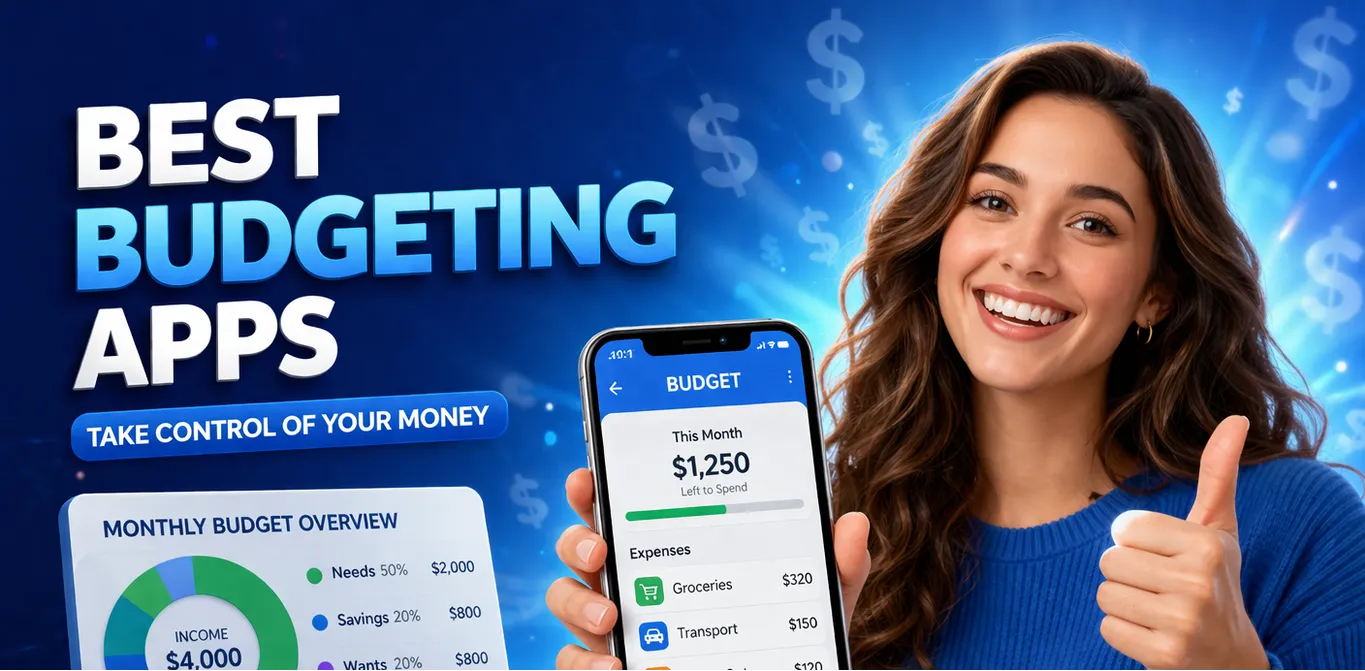
If you have ever reached the end of the month and wondered where all your money went, you are not alone. Tens of millions of Americans are in that same spot right now – working hard, paying bills, and still feeling like they are falling behind. The best budgeting apps exist to fix exactly that. They give you a clear, real-time picture of your money so you can stop guessing and start gaining ground.
Quick Answer: The best budgeting apps in 2026 include YNAB, Rocket Money, Copilot, Goodbudget, and PocketGuard. Each one suits a different financial situation – from getting out of debt to tracking investments to managing money as a couple. This guide breaks them all down so you can find the right fit and start seeing results fast.
But tracking your spending is only one piece of the puzzle. If you are serious about changing your financial situation – not just managing it – keep reading. There is a bigger opportunity at the end of this guide that most people overlook completely.
What are budgeting apps and why do they matter in 2026?
A budgeting app is a tool on your phone or computer that connects to your bank accounts, tracks what you earn and spend, and shows you exactly where your money is going. Think of it as a personal finance coach that runs 24/7 – with zero judgment.
In 2026, the average American household carries over $10,000 in credit card debt and spends an estimated $1,500 a year on subscriptions they do not even use. The best budgeting apps help you spot those leaks fast.
They categorize your transactions automatically, send alerts when you overspend, and help you set goals – whether that is building a three-month emergency fund, paying off a car loan, or finally saving for a down payment.
The apps in this guide are the ones real users rely on right now. They range from completely free to a modest monthly fee, and every single one is beginner-friendly. You do not need a finance degree or a high income to use them.
How much can the best budgeting apps actually save you?
Budgeting apps do not generate income – but they can stop the bleeding. Studies consistently show that people who actively track their spending save 10–20% more of their income than those who do not. For someone earning $3,500 a month, that is an extra $350–$700 going toward debt, savings, or an emergency fund every single month.
These apps vary in price and approach, but they all share one goal: helping you keep more of what you earn. Most offer a free version or a trial, so you can test before you commit.
One note on savings figures: The 10–20% savings increase is an average across consistent users. Results depend on your income, existing habits, and how actively you engage with the app. These tools work when you use them.
The best budgeting apps in 2026 – reviewed
Here is a close look at each of the top picks. These apps are trusted by millions of users, have strong track records, and cover every major budgeting style – whether you want full automation or hands-on control.
Apps for breaking the paycheck-to-paycheck cycle
YNAB (You Need A Budget)
YNAB is the gold standard for people who feel like their money disappears before the next payday. The app is built around one simple rule: give every dollar a job. Instead of just tracking what you already spent, YNAB asks you to plan ahead – to tell your money where to go before the month begins.
New users typically save an average of $600 in their first two months and over $6,000 in their first year, according to YNAB’s own user data. That is not a coincidence – it is what happens when you stop reacting to your bank balance and start intentionally directing it. YNAB costs $14.99 a month (or $109 a year), and it offers a 34-day free trial. College students can use it for free.
Earning potential: Not income-generating – but users report saving $200–$600/month after the first 60–90 days of active use.
Goodbudget
Goodbudget uses the classic envelope budgeting method – you divide your income into virtual “envelopes” for groceries, rent, dining out, entertainment, and whatever else matters to you. When an envelope is empty, that category is done for the month. Simple, visual, and surprisingly powerful.
What makes Goodbudget stand out is its built-in sharing feature. Up to two devices can sync the same budget in real time, making it ideal for couples, roommates, or anyone managing money with a partner. The free plan covers 20 envelopes, which is enough for most households. The paid plan runs $10 a month and adds unlimited envelopes and accounts.
Why this works in 2026: Shared finances are one of the top causes of relationship stress. Goodbudget gives couples a shared, neutral view of their money – removing the blame game and replacing it with a shared plan.
Apps for cutting bills and subscriptions fast
Rocket Money
Rocket Money (formerly Truebill) is built for one thing: finding where your money is leaking and plugging the holes. The app scans your bank and credit card transactions, identifies every subscription you are paying for, and flags duplicates or services you have not used in months. It can even negotiate your phone, cable, or internet bill on your behalf – and takes a cut only if it saves you money.
The free version handles most of what beginners need: spending tracking, budget creation, and subscription management. The premium plan (up to $12 a month, or pay-what-you-want between $3 and $12) adds bill negotiation, credit score monitoring, and smart savings automation. Users report an average of $720 saved per year just from subscription cancellations.
Earning potential: Average savings of $50–$100/month from subscriptions and bill negotiations, depending on your current monthly expenses.
Apps for detailed tracking and smart insights
Copilot
Copilot is the budgeting app that people who love data tend to fall for. It uses AI to automatically categorize your transactions, learn your spending patterns, and surface insights you would never catch on your own – like noticing that your grocery spending spikes every time a particular store runs a sale, or that your “dining out” budget is 40% over target three weeks before the month ends.
The design is clean and beautiful, which matters more than it sounds – people actually use apps they enjoy opening. Copilot is iOS and Mac only for now, which is a real limitation if you are on Android. It costs $13 a month or $95 a year, and there is a free trial available. It is best suited for people with slightly more complex finances – multiple accounts, investments, and irregular income sources.
Important note: Copilot is iOS and Mac only as of 2026. Android users should consider YNAB or Rocket Money instead.
PocketGuard
PocketGuard is the most beginner-friendly app on this list. Instead of overwhelming you with charts and categories, it answers one simple question: how much can I safely spend today? The app pulls in your income, accounts for upcoming bills and savings goals, and shows you a single “In My Pocket” figure – what is left to spend without going into the red.
The free version is solid for basic tracking and spending limits. The Plus plan ($12.99 a month or $74.99 a year) adds custom budgeting categories, a debt payoff planner, and unlimited linked accounts. PocketGuard works on both iOS and Android and is one of the easiest apps to set up – most users are fully configured in under ten minutes.
Why this works in 2026: Decision fatigue is real. When you are juggling work, family, and finances, a single number that tells you whether you can afford that purchase is worth more than 30 categories of data you will never look at.
What to look for when choosing a budgeting app
With dozens of budgeting apps on the market, the one you actually stick with is always better than the one that is technically “best.” Here is how to match an app to your situation.
Beyond the app itself, the habits you build around it matter most. Open it daily. Check it before a purchase you are unsure about. Review your categories once a week. The app is just a mirror – you have to be willing to look.
Tips for getting the most out of budgeting apps
Downloading an app is the easy part. Here is what separates people who actually improve their finances from those who abandon it after two weeks.
Start with one account, not all of them
The biggest mistake new users make is linking every account, card, and loan on day one. The volume of transactions is overwhelming and leads to giving up. Start with your primary checking account only. Get comfortable with the interface, understand how categories work, and add more accounts over the following weeks.
Set a weekly check-in, not a daily one
Daily review quickly feels like punishment. A once-a-week check-in – ten minutes every Sunday, for example – keeps you informed without making budgeting feel like a second job. Most apps have a weekly summary feature built in. Turn it on.
Do not aim for perfection in month one
Your first budget will be wrong. Your categories will be off. You will overspend somewhere unexpected. That is normal and expected – it is data, not failure. The goal of month one is simply to understand where your money actually goes. Month two is when you start adjusting. Month three is when it starts to feel natural.
Use notifications strategically
Every major budgeting app lets you set spending alerts – notifications when you hit 80% of a category budget, when a large transaction posts, or when a bill is due. Enable two or three of the most relevant ones. Too many alerts become background noise; too few and you miss the point entirely.
Pair your app with a simple savings goal
Budgeting in isolation can feel pointless. Pair it with a clear, specific goal – “I want $1,000 in an emergency fund by August” – and every week of tracking becomes a step toward something real. Most apps let you create savings goals directly inside the interface. Use them. A concrete target is the single biggest predictor of whether someone sticks with a budgeting app past month one.
The honest truth about budgeting apps – and what they cannot do
Here is something most budgeting guides will not tell you: the best budgeting apps are excellent at helping you manage what you already have. They are not income generators. They help you spend smarter, cut waste, and build small reserves. But if the core problem is that your income is simply too low – that there is not enough coming in to make the math work no matter how carefully you budget – no app solves that.
For a lot of people reading this, that is the real issue. Working two jobs. Living on a fixed income. Disability payments that do not stretch far enough. A surprise medical bill that wiped out months of careful saving. In those situations, budgeting helps – but what you actually need is a second income stream.
That is where a lot of people start looking at online business options. And that is exactly where Sellvia comes in.
Final thoughts – how to pick your app and your next move
The right budgeting app depends on where you are right now. Here is a simple breakdown by reader profile.
If you are a complete beginner who has never tracked spending before, start with PocketGuard. It is free, takes ten minutes to set up, and gives you one clear number to focus on. No overwhelm, no complexity – just clarity.
If you are living paycheck to paycheck and want to break the cycle, go with YNAB. Yes, it costs money. But the average user saves $6,000 in year one – making it one of the best financial investments you can make at $14.99 a month.
If you are managing money with a partner or trying to get your household on the same page, Goodbudget is the most effective shared tool available right now. The envelope system creates natural conversations about money without finger-pointing.
And if you are someone who has been doing everything right – budgeting, cutting expenses, saving every dollar you can – but still feel like you are not getting ahead, consider this: the ceiling on budgeting is fixed. You can only cut so much. But income has no ceiling.
An online store built on Sellvia lets you earn income on your own terms – no boss, no commute, no hourly wage. The store is built for you, the digital products are loaded and ready, and the built-in ad system gets orders moving from day one. It is not a replacement for budgeting. It is the income layer that makes your budget actually work.
Why Sellvia is a game-changer for your online store 🚀
Sellvia isn’t just another ecommerce tool. We are a trusted name in the industry, recognized by Forbes and even ranked in Inc.’s list of the 5,000 fastest-growing companies in the U.S. So if you’re serious about starting as a solopreneur, this is a smart place to begin.
Starting an online business can feel overwhelming, but that’s exactly where Sellvia steps in. It takes care of the tricky parts, so you can focus on making sales and growing your brand. Let’s break down what makes it such a great choice.
Get a ready-to-go store hassle-free 🎯
Want to start selling but don’t know where to begin? No worries! Just share your ideas, and Sellvia’s team will build a free ecommerce website that’s fully set up and ready to take orders from day one. No coding, no stress – just a store that works right out of the box.
A $100 welcome gift to grow your business faster 🎁
Starting a business takes momentum – and Sellvia gives you a head start. When you claim your free store today, you also get a $100 welcome gift to put toward growing your business. Use it to upgrade your store, boost your marketing, or unlock new tools. It is a real dollar value, handed to you on day one, with no catch and no hoops to jump through.
A massive catalog of digital products to sell 🏆
One of the biggest struggles in starting an online business is figuring out what to sell. Sellvia solves that completely. Your store comes pre-loaded with digital products – guides, courses, checklists, and tools – all created by Sellvia. You keep 50–70% of every sale. No inventory. No shipping. No logistics headaches.
Everything in one easy-to-use platform 🔥
Managing an online store shouldn’t be complicated. With Sellvia, you can handle orders, add new products, and even chat with customers – all from a simple and user-friendly platform. No need to mess with confusing tools or deal with unnecessary tech stuff. It’s all smooth sailing.
No upfront costs, just start selling 💰
A big reason people hesitate to start an online business is the cost. But here’s the good news: With Sellvia, you don’t need to invest in stock, storage, or shipping supplies. You can run your store with no upfront costs, keeping things low-risk while still making money.
Support that’s always got your back 🤝
Running a business comes with questions, but you’re never alone. Sellvia’s dedicated support team is available 24/7 to help with anything you need. Whether it’s a small question or a big challenge, they’ve got you covered.
The best budgeting apps help you take control of what you have – but a Sellvia store helps you build more of it. Claim your free store today and start earning income alongside your budget goals.