If you are looking to start an online business in 2026, Shopify and Squarespace will almost certainly come up in your research. Both are established, both look polished, and both promise to get your store live without needing a developer. But they are built for very different goals – and choosing the wrong one can cost you months of progress and hundreds of dollars in fees before you see your first sale.
Quick Answer: Shopify is the stronger choice for dedicated online stores focused on scaling sales and managing large product catalogs. Squarespace is the better fit for creative professionals, service providers, or small shops where selling is a secondary feature of a broader website.
This guide breaks down both platforms head to head – pricing, features, ecommerce tools, and real limitations – so you can make a confident decision based on what you are actually trying to build.
Before diving into the details, it is worth understanding what each platform was built to do. Shopify was purpose-built for ecommerce from day one. Squarespace started as a website builder and added commerce later. That foundational difference shapes almost every comparison you will make between them.
That foundational difference also shapes the costs, the learning curve, and the ceiling you will hit once your store starts growing. Understanding the core purpose behind each platform makes the comparison much easier to navigate – and the right choice much clearer for your situation.
What is the Shopify vs Squarespace debate really about?
At its core, this comparison comes down to one question: are you primarily building a brand website that also sells products, or are you building an online store that also needs to look great? Your answer to that question will point you clearly in one direction.
Shopify launched in 2006 after its founder wanted to sell products online and could not find a platform that actually worked for sellers. That origin story matters. Shopify has always been optimized for the seller experience. As of 2026, it powers over 4.6 million live stores in 175 countries and processes hundreds of billions of dollars in annual sales volume.
Squarespace launched in 2004 as a drag-and-drop website builder focused on design quality. Its commerce functionality – added through the Commerce plans – is genuinely capable, but it is layered on top of a platform that was originally built for portfolios, blogs, and service businesses. For sellers who want to scale, that distinction matters quickly.
Important note: Neither platform offers a free plan for ecommerce. Both require a paid subscription before you can accept payments from customers – which factors directly into your cost per sale from month one.
What do Shopify and Squarespace actually cost in 2026?
Pricing is often the first point of comparison – and it is more nuanced than a simple monthly fee suggests. Both platforms charge differently depending on your plan tier, payment method, and whether you use their native payment processor or a third-party gateway.
On the surface, Squarespace looks cheaper – but the Business plan charges a 3% transaction fee on every sale, which adds up fast at any meaningful volume. Shopify’s transaction fees only apply if you do not use Shopify Payments, available in most major markets. At scale, the higher monthly fee on Shopify frequently works out cheaper per order than the lower headline price on Squarespace.
One note on true platform cost: App subscriptions are a real variable on Shopify. Many features built natively into Squarespace – such as abandoned cart recovery on the Commerce Basic plan – require paid Shopify apps on top of your monthly plan. Budget an additional $20–$100 per month for essential apps depending on your store setup.
Both platforms also charge extra for premium templates on some plan tiers, advanced analytics, and email marketing beyond the basic allowance. Always model your total monthly cost across platform fee, app costs, and transaction fees before committing. The headline price is rarely the real price once your store is fully operational.
Shopify – strengths and real limitations for online sellers
Shopify is one of the most complete ecommerce platforms available today. If your primary goal is building and scaling an online store, it has very few weaknesses at the operational level. That said, it is not the right choice for every situation – and understanding where it falls short is just as important as knowing where it leads.
Where Shopify leads the competition
Ecommerce-first infrastructure
Shopify was built to sell. Its core dashboard, product management, order processing, and checkout flow are all designed with high-volume selling in mind. You can manage large catalogs, set up product variants, run discount campaigns, and handle returns without needing a single third-party tool for the basics. The checkout is widely considered the highest-converting in the industry – Shopify has invested heavily in checkout optimization because it directly impacts their own revenue model.
For anyone focused on building a scalable online store – whether selling digital products, subscriptions, or a branded product line – Shopify integrates seamlessly with hundreds of tools for order management and store automation. Setup time from store creation to a live, functional storefront is typically under 24 hours for a basic build.
The app ecosystem
The Shopify App Store contains over 8,000 apps covering virtually every ecommerce use case – email marketing, upsells, loyalty programs, reviews, subscriptions, shipping calculators, SEO tools, and more. This modularity is one of Shopify’s biggest selling points. You can start lean and add capabilities as your store grows, without switching platforms or rebuilding from scratch.
The downside is that relying on multiple apps inflates your monthly costs significantly. It is not unusual for a moderately equipped Shopify store to carry $80–$150 per month in app fees on top of the base plan fee – which changes the true cost calculation considerably when you are starting out.
Payment processing and checkout
Shopify Payments – available in the US, UK, Canada, Australia, and most of Europe – eliminates transaction fees entirely and provides a seamless native checkout experience. It accepts all major credit cards, Apple Pay, Google Pay, and Shop Pay, the platform’s own accelerated checkout. For stores using third-party gateways like PayPal or Stripe, Shopify adds a 0.5%–2% transaction fee depending on your plan tier. Always factor this into your margin calculations before launch, especially in the early months when every dollar counts.
Where Shopify falls short
Design flexibility has traditionally been a weakness relative to Squarespace. While the 2.0 theme architecture and the Online Store Editor have improved significantly, creating a highly customized storefront still typically requires a developer or a premium theme purchase. Free themes are functional but generic – standing out visually takes effort and usually additional spending on top of your monthly subscription.
Content marketing is another gap. Shopify’s built-in blogging tool is basic compared to a dedicated CMS. If content-driven organic traffic is central to your growth strategy, you will likely need workarounds or supplementary tools, none of which come free. For sellers who want a beautiful brand presence alongside a powerful store, neither free nor low-cost themes fully close the gap with Squarespace.
Squarespace – strengths and real limitations for sellers
Squarespace occupies a distinct space in this comparison. Its design quality is genuinely best-in-class for a DIY platform, and its all-in-one structure means fewer external tools to manage day to day. But its ecommerce capabilities have specific ceilings that matter once you start selling at any meaningful volume.
Where Squarespace excels
Templates and visual design
Squarespace templates are consistently rated among the most polished in the website builder category. Every template is mobile-responsive, professionally designed, and deeply customizable through the visual editor. For photographers, designers, consultants, restaurants, and similar businesses, a Squarespace site can look genuinely premium without writing a single line of custom code.
The drag-and-drop editor is intuitive and forgiving. Rearranging sections, swapping fonts, adjusting spacing – all of it happens in real time with a clean visual interface. Design confidence is higher on Squarespace than on most competing platforms at the same price point, and the results show it.
All-in-one tools included
Squarespace bundles email marketing, analytics, SEO tools, scheduling, and membership features into its plans at no extra cost. For a small business that wants a single dashboard managing the website, email list, and booking calendar simultaneously, Squarespace offers more out-of-the-box value than Shopify at equivalent price tiers.
The Commerce plans add abandoned cart recovery, product reviews, advanced shipping rules, and subscription selling without additional apps. For a simpler store setup with a limited product range, this can work out more cost-effective than building the same feature set on Shopify through individual app subscriptions – provided you are not planning to scale aggressively.
Where Squarespace falls short for ecommerce
The biggest limitation is scalability. Squarespace works well for stores with up to a few hundred products. Once you start managing a large catalog, complex variants, or multiple tool integrations, its inventory management begins to show its limitations compared to Shopify. There is no equivalent of the Shopify App Store – the Squarespace extension library is far smaller and far less specialized for high-volume selling.
Digital product and automation support on Squarespace is also limited. While tools like Printful and Printify integrate reasonably well, dedicated workflows with automated order routing, bulk catalog imports, and tracking sync are not well supported. Shopify is clearly the stronger choice if building a high-volume online product store is your primary business goal.
Important: Squarespace does not support selling in multiple currencies natively on its lower plans. For stores targeting customers across several markets, this is a significant operational constraint that can limit your growth ceiling from the very start.
Shopify vs Squarespace – head-to-head comparison
Here is a direct side-by-side breakdown of the factors that matter most to online sellers in 2026. Use this as a quick reference when weighing your options.
The table makes the core trade-off visible: Shopify wins on ecommerce depth and scalability, while Squarespace wins on design and bundled tools. Neither wins outright on pricing once you factor in the full cost of running a live store – apps, transaction fees, and plan upgrades all shift the real number significantly.
For anyone whose primary goal is building a product-driven income stream, both platforms require an ongoing monthly commitment before you earn your first dollar. That reality is worth weighing carefully before you hand over your credit card details to either one.
Which platform is right for you?
The honest answer is that neither platform is universally better – the right choice depends entirely on what you are trying to build. Here is a practical breakdown by use case and goal to help you decide quickly.
Choose Shopify if you are building a dedicated online store
If selling products is the primary purpose of your website – whether that is digital products, a branded product line, or a subscription business – Shopify is the stronger long-term foundation. Its checkout performance, catalog management tools, and app ecosystem are all built around one goal: maximizing sales. Budget $29–$79 per month for the base plan plus apps, and expect to reach break-even within 60–90 days of consistent traffic and focused effort.
Choose Squarespace if you are a service provider or creative brand
If your website is primarily a portfolio, a booking system, a restaurant menu, or a professional services site that also sells a limited product range, Squarespace is a smarter and more cost-effective choice. The design quality is higher out of the box, the all-in-one tools reduce your software stack, and the lower learning curve means you spend less time managing the platform and more time serving clients. Stores with under 50 products and no high-volume selling requirements are well-served here.
Consider a third path – a free store with no monthly platform fees
Both Shopify and Squarespace require a monthly subscription before you can sell a single product. For anyone who wants to test online selling without committing to $300–$900 in annual platform fees upfront, there is a meaningful alternative worth considering.
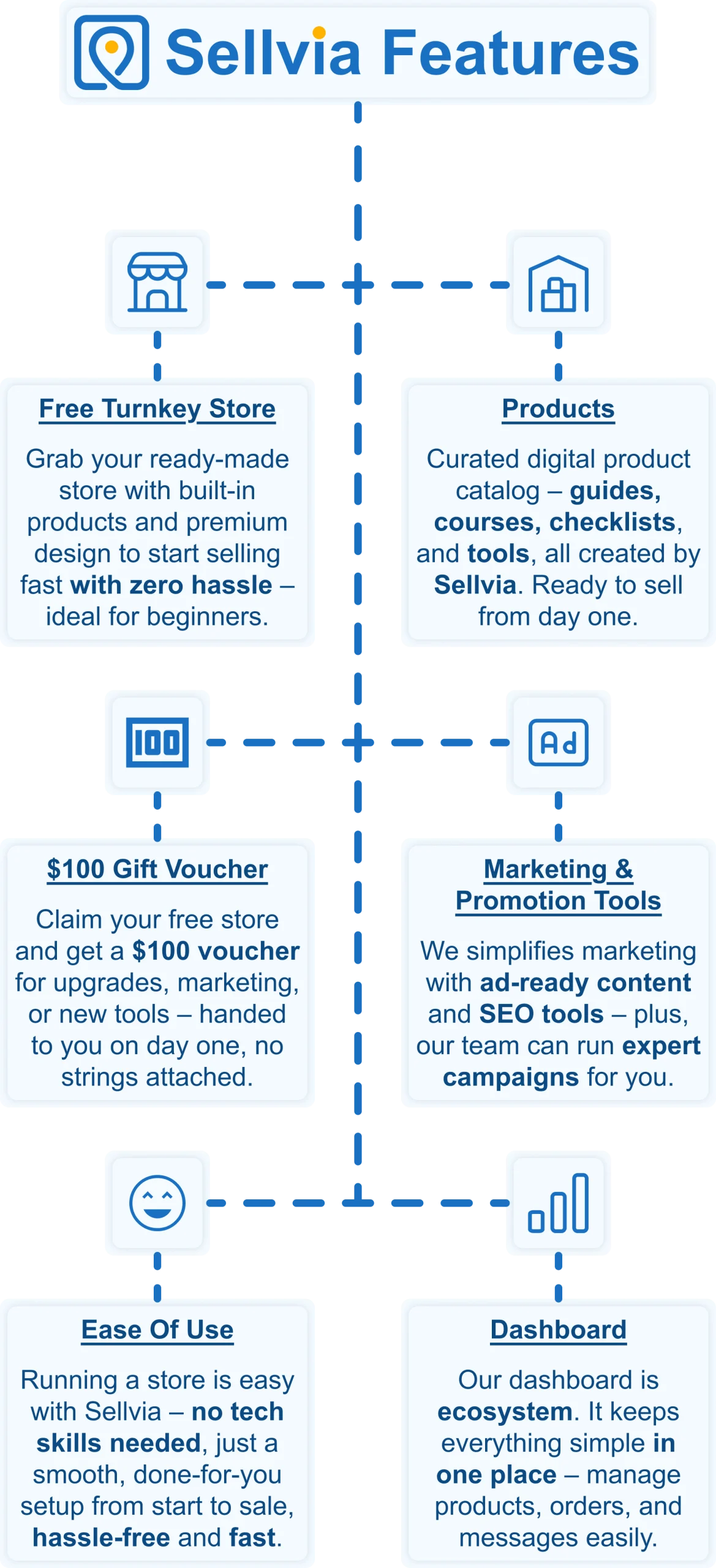
Sellvia offers a free turnkey store – fully built, loaded with digital products to sell, and ready from day one. There are no monthly platform fees eating into your margin from the start. The store comes with a $100 voucher to kick off your first marketing push and a fully built-in advertising system that most customers activate on day one. For beginners especially, this significantly lowers the barrier to entry and lets you focus on learning the business rather than paying just to access it.
Both Shopify and Squarespace are capable platforms in the right context. But if your goal is to start earning income online as quickly and affordably as possible, a free Sellvia store removes the biggest obstacle standing between you and your first sale.
Why Sellvia is a game-changer for your online store 🚀
Sellvia isn’t just another ecommerce tool. We are a trusted name in the industry, recognized by Forbes and even ranked in Inc.’s list of the 5,000 fastest-growing companies in the U.S. So if you’re serious about starting as a solopreneur, this is a smart place to begin.
Starting an online business can feel overwhelming, but that’s exactly where Sellvia steps in. It takes care of the tricky parts, so you can focus on making sales and growing your brand. Let’s break down what makes it such a great choice.
Get a ready-to-go store hassle-free 🎯
Want to start selling but don’t know where to begin? No worries! Just share your ideas, and Sellvia’s team will build a free ecommerce website that’s fully set up and ready to take orders from day one. No coding, no stress – just a store that works right out of the box.
A $100 gift voucher to grow your business faster 🎁
Starting a business takes momentum – and Sellvia gives you a head start. When you claim your free store today, you also get a $100 gift voucher to put toward growing your business. Use it to upgrade your store, boost your marketing, or unlock new tools. It is a real dollar value, handed to you on day one, with no catch and no hoops to jump through.
A massive catalog of digital products to sell 🏆
One of the biggest struggles in starting an online business is figuring out what to sell. Sellvia solves that completely. Your store comes pre-loaded with digital products – guides, courses, checklists, and tools – all created by Sellvia. You keep 50–70% of every sale. No inventory. No shipping. No logistics headaches.
Everything in one easy-to-use platform 🔥
Managing an online store shouldn’t be complicated. With Sellvia, you can handle orders, add new products, and even chat with customers – all from a simple and user-friendly platform. No need to mess with confusing tools or deal with unnecessary tech stuff. It’s all smooth sailing.
No upfront costs, just start selling 💰
A big reason people hesitate to start an online business is the cost. But here’s the good news: With Sellvia, you don’t need to invest in stock, storage, or shipping supplies. You can run your store with no upfront costs, keeping things low-risk while still making money.
Support that’s always got your back 🤝
Running a business comes with questions, but you’re never alone. Sellvia’s dedicated support team is available 24/7 to help with anything you need. Whether it’s a small question or a big challenge, they’ve got you covered.
If you have been comparing Shopify vs Squarespace and wondering which platform will actually get you earning, Sellvia offers a faster, lower-risk starting point than either one. Claim your free store today and start building income without the monthly platform overhead.